> ## Documentation Index
> Fetch the complete documentation index at: https://docs.multex.tech/llms.txt
> Use this file to discover all available pages before exploring further.
# Discharges
> Manage user discharges with flexible settings and commands.
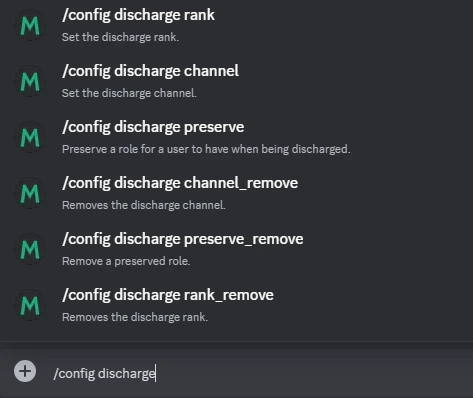
### Step 1: Setting the Discharge Channel
To specify where discharge notifications will be sent, use:
`/config discharge channel`
***
### Step 2: Removing the Discharge Channel
If you no longer need a discharge channel, remove it with:
`/config discharge channel_remove`
***
### Step 3: Preserving Roles on Discharge
Preserve specific roles for users after they are discharged by running:
`/config discharge preserve`
***
### Step 4: Removing Preserved Roles
To clear a role previously preserved during discharge, use:
`/config discharge preserve_remove`
***
### Step 5: Setting the Discharge Rank
Configure a specific rank for discharged users by running:
`/config discharge rank`
***
### Step 6: Removing the Discharge Rank
Remove the configured discharge rank with this command:
`/config discharge rank_remove`
Using these commands ensures a streamlined discharge process and helps automate role management effectively.