> ## Documentation Index
> Fetch the complete documentation index at: https://docs.multex.tech/llms.txt
> Use this file to discover all available pages before exploring further.
# Restrictions
> The basics for getting started with restrictions
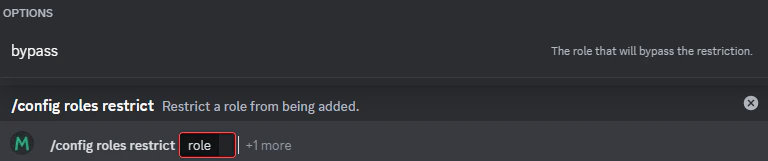
Step 1: Setting up restrictions.
To get started, you will need to type `/config roles restrict` after typing this you will select the role you want to restrict. Optionally after selecting that role you can select a role to bypass this restriction so they can also add it.
To undo a restriction you can do `/config roles unrestrict`.
 Step 2: Adding more bypasses.
Once you have restricted a role you can add more restrictions via the `/config roles bypass` command. You can also view all restricted roles and bypasses for those roles with `/config roles restrictions`
Step 2: Adding more bypasses.
Once you have restricted a role you can add more restrictions via the `/config roles bypass` command. You can also view all restricted roles and bypasses for those roles with `/config roles restrictions`
