> ## Documentation Index
> Fetch the complete documentation index at: https://docs.multex.tech/llms.txt
> Use this file to discover all available pages before exploring further.
# Background
> A comprehensive background check across all servers that use Multex
# Multex Background Report
The Background page provides you with a comprehensive overview of your activity and status across all Discord servers that use Multex. This report aggregates your history, roles, and actions, giving you a clear picture of your presence within the Multex ecosystem.
## What does the background check include?
* **Discharge History:** See a list of discharges from all servers that use Multex.
* **Rank History:** View your current and previous rank in each server, including promotions, demotions, and special assignments.
* **Roblox information:** Review all public Roblox information for each verification that is linked to your Discord account, including groups, past usernames, badges, and more.
* **Verification Status:** Take a look at your Discord and Roblox accounts that are properly linked and verified, giving you a interactive display to show you how exactly each Roblox and Discord account is connected.
## Why is this useful?
* **Transparency:** Know exactly how your account is seen by server admins and automated systems.
* **Accountability:** Easily spot any issues or discrepancies in your record.
* **Portability:** Some background information follows you across all servers using Multex, making it easier for admins to trust your history.
## How to Access Your Background
1. Navigate to your [**Account**](https://multex.tech/account) page in the Multex dashboard, that's really it.
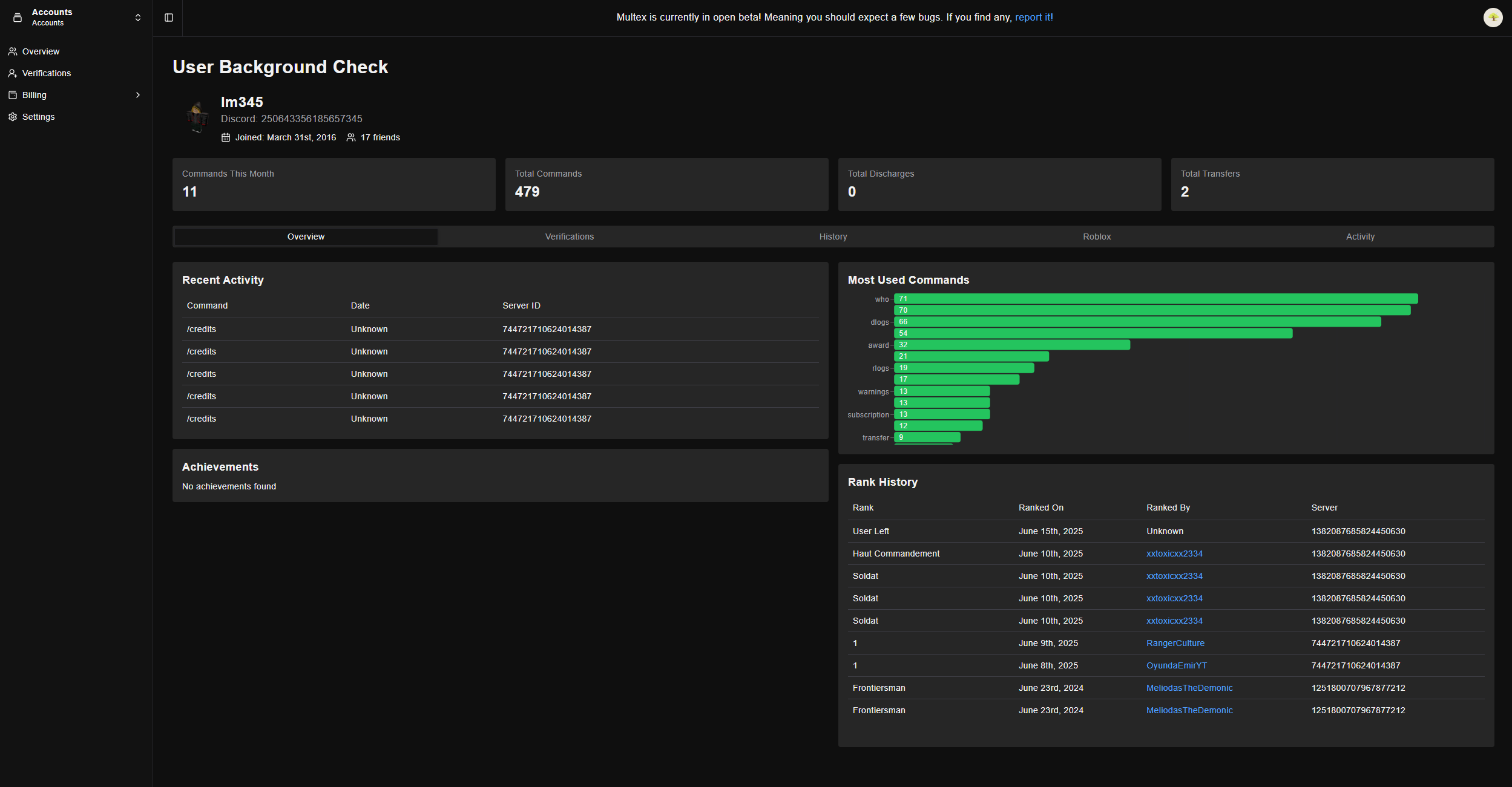 This specific background report is private and only visible to you and only select information is shared to authorized server administrators.