> ## Documentation Index
> Fetch the complete documentation index at: https://docs.multex.tech/llms.txt
> Use this file to discover all available pages before exploring further.
# Restrictions Setup
> Configure role limitations and security measures
## What are restrictions?
A restriction is a security measure to prevent users from being able to manage Discord roles with `/roles discord` without explicit permission.
## What is Restrictions Setup?
By default, there is a zero trust policy behind `/roles discord`, so you must explicitely restrict and determine which roles can bypass that restriction.
Restrictions Setup allows you create these restrictions with their bypasses, allowing the roles stated in the bypass array to manage the restricted role using `/roles discord`.
## Step 1: Access Restrictions Configuration
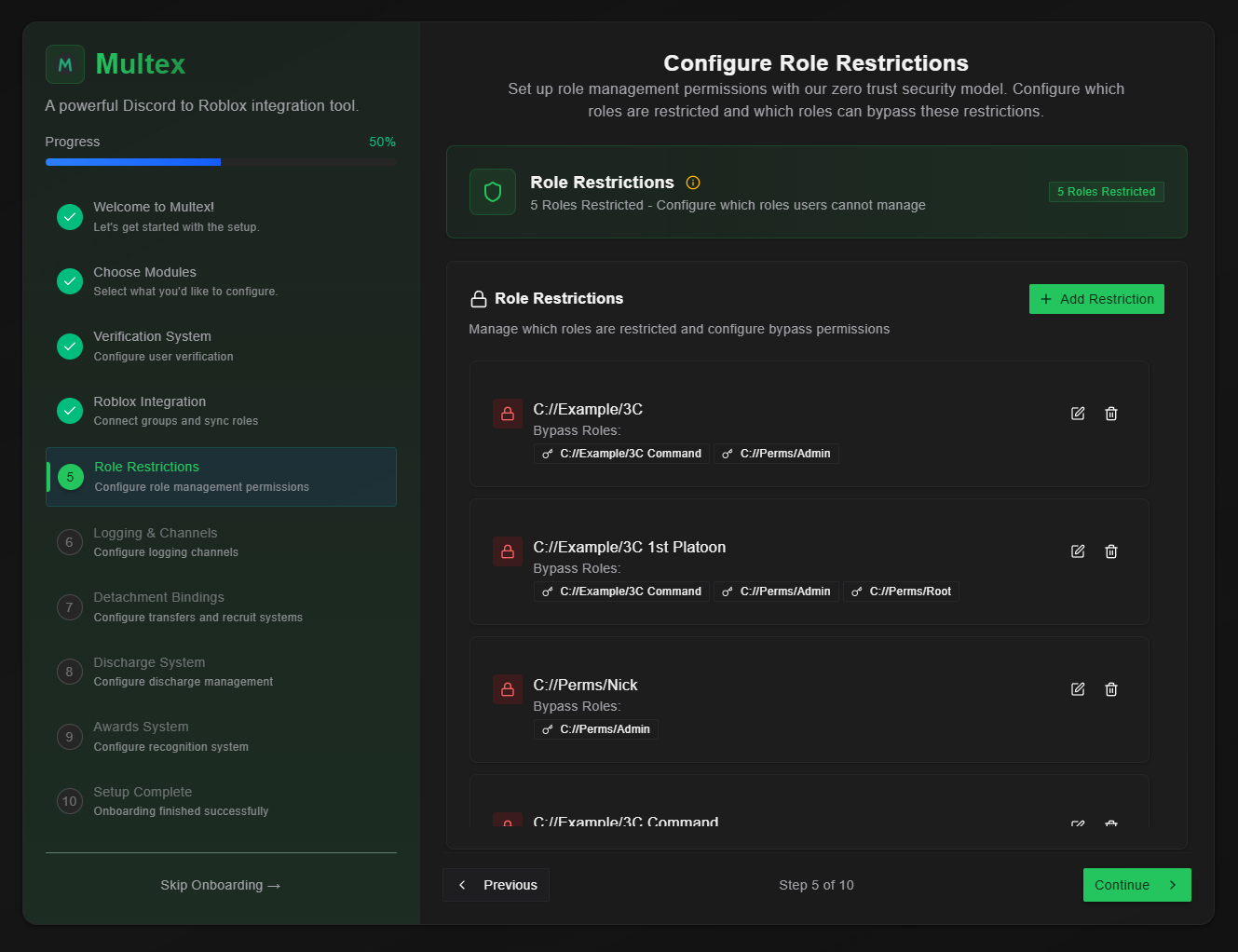 From your onboarding dashboard, select **Restrictions Setup** to begin configuring.
## Step 2: Create New Restrictions
From your onboarding dashboard, select **Restrictions Setup** to begin configuring.
## Step 2: Create New Restrictions
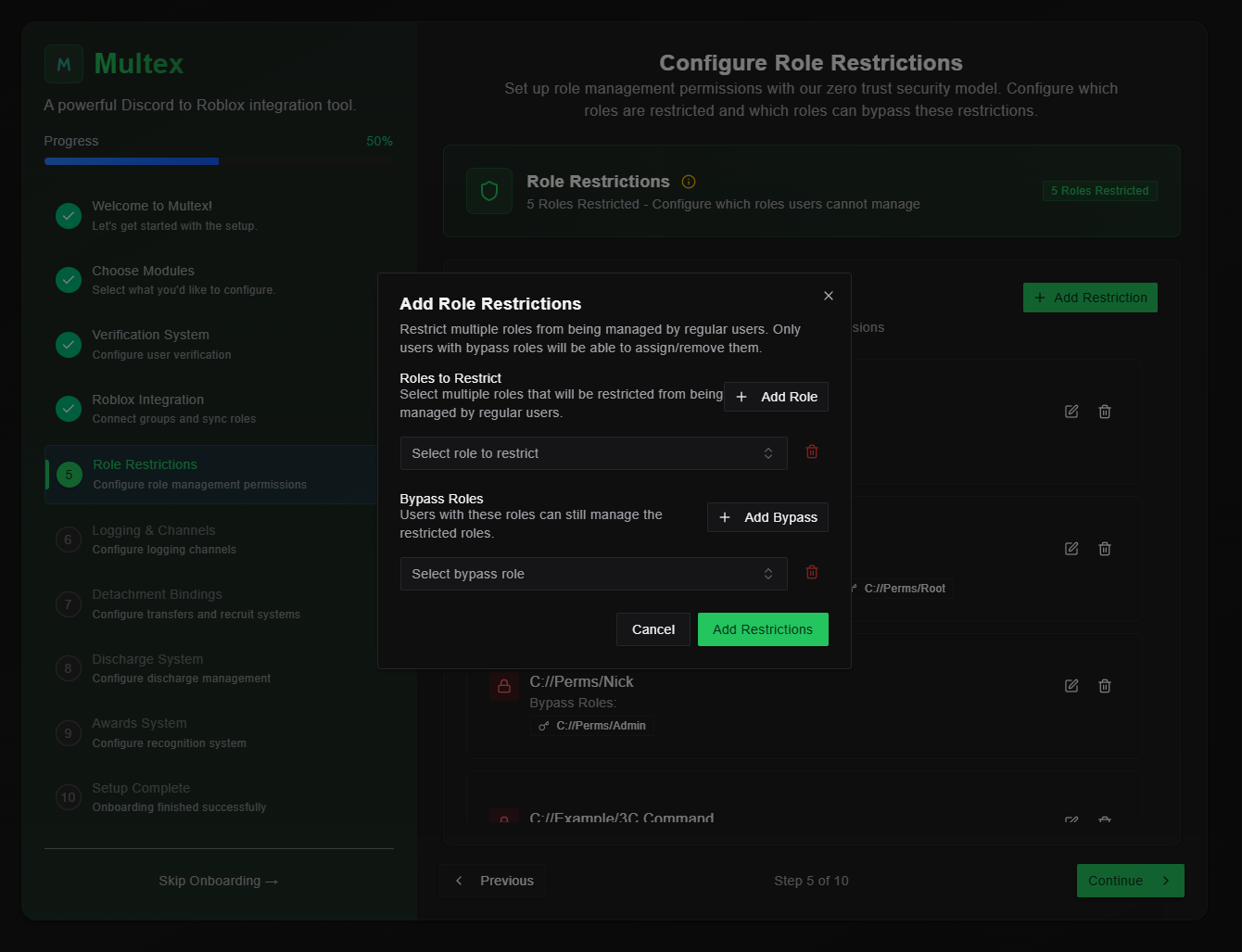 1. **Click "Add Restriction" button**
2. **Select Target Role** - Choose the Discord role to apply restrictions to
3. **Select bypass roles** - Choose the Discord role that ignore this restriction, meaning this role will be able to manage (add/remove with `/roles discord`) the target restriction
4. **Click Add Restrictions** - Save the configuration to activate the bypasses
## Step 3: Edit Existing Restrictions
1. **Click "Add Restriction" button**
2. **Select Target Role** - Choose the Discord role to apply restrictions to
3. **Select bypass roles** - Choose the Discord role that ignore this restriction, meaning this role will be able to manage (add/remove with `/roles discord`) the target restriction
4. **Click Add Restrictions** - Save the configuration to activate the bypasses
## Step 3: Edit Existing Restrictions
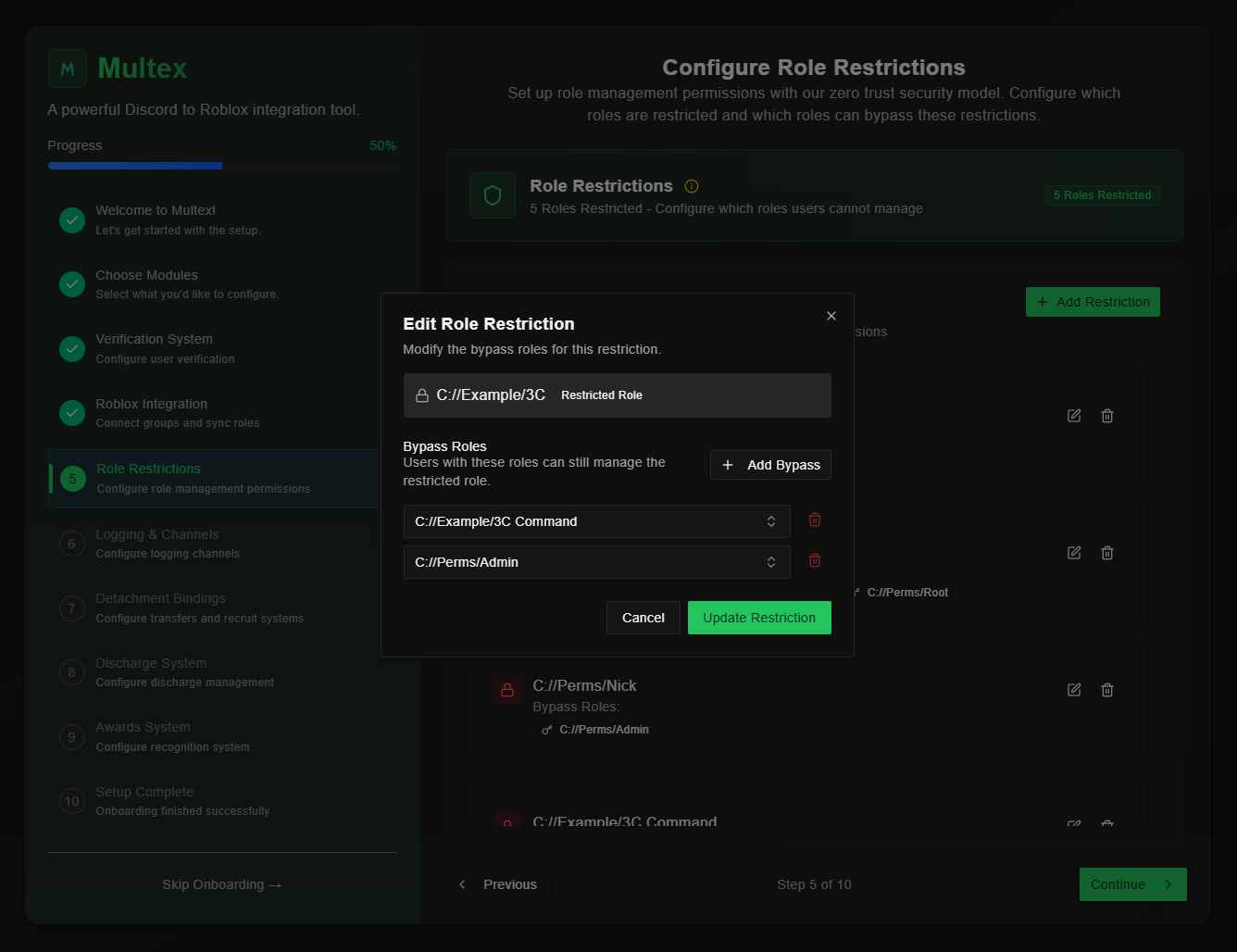 1. **Select restriction** to edit from the overview
2. **Update bypasses** as needed
3. **Test changes** to verify they work correctly
4. **Save configuration** to apply updates
Restrictions enhance Discord role security, preventing users from managing roles they shouldn't.
1. **Select restriction** to edit from the overview
2. **Update bypasses** as needed
3. **Test changes** to verify they work correctly
4. **Save configuration** to apply updates
Restrictions enhance Discord role security, preventing users from managing roles they shouldn't.