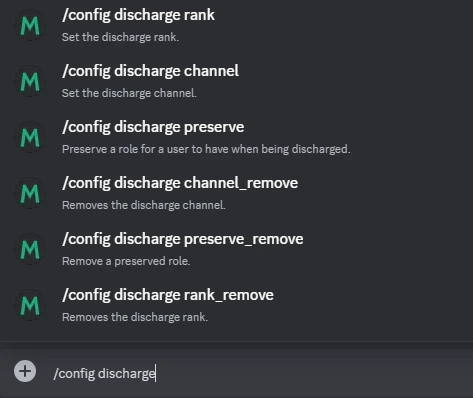
Step 1: Setting the Discharge Channel
To specify where discharge notifications will be sent, use:/config discharge channel
Step 2: Removing the Discharge Channel
If you no longer need a discharge channel, remove it with:/config discharge channel_remove
Step 3: Preserving Roles on Discharge
Preserve specific roles for users after they are discharged by running:/config discharge preserve
Step 4: Removing Preserved Roles
To clear a role previously preserved during discharge, use:/config discharge preserve_remove
Step 5: Setting the Discharge Rank
Configure a specific rank for discharged users by running:/config discharge rank
Step 6: Removing the Discharge Rank
Remove the configured discharge rank with this command:/config discharge rank_remove
Using these commands ensures a streamlined discharge process and helps automate role management effectively.